
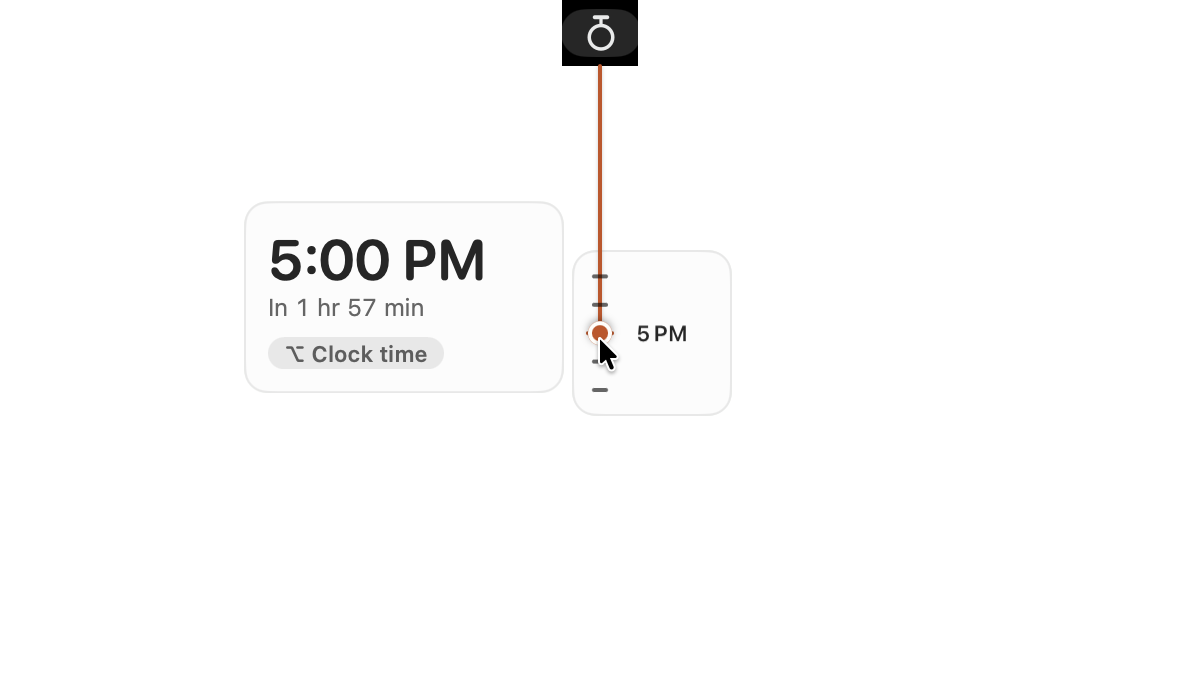
Pick a clock time with Option.
Hold Option while pulling. Choose 5:00 PM on the scale, then release to set the reminder.
This page applies to Spooltime 2.0.
Spooltime · Support
A guide to Spooltime 2.0 timers, reminders, purchases, and settings. When contacting support, include your app version.
Hold Option while pulling. Choose 5:00 PM on the scale, then release to set the reminder.
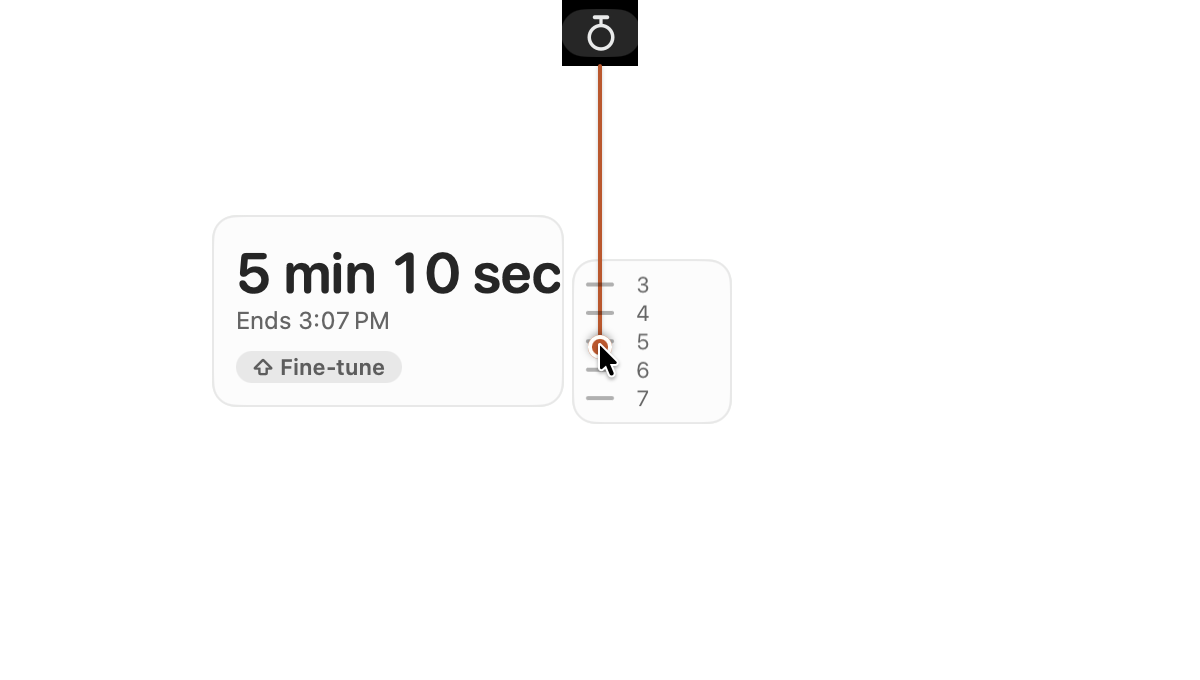
Hold Shift while pulling to move between the usual stops. Here the timer is set to 5 minutes and 10 seconds.
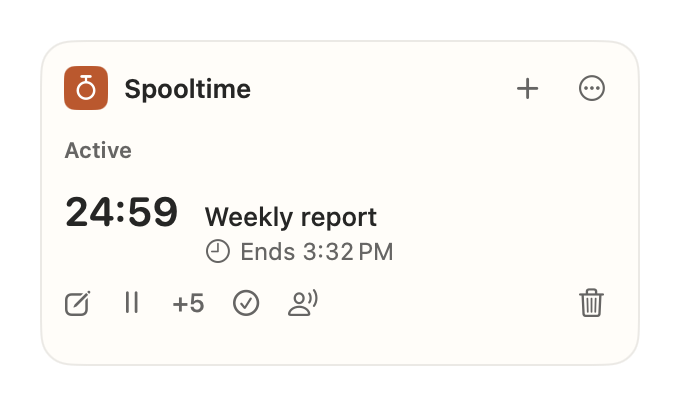
Choose New, type “25m Weekly report,” and press Return. The countdown appears in your list.
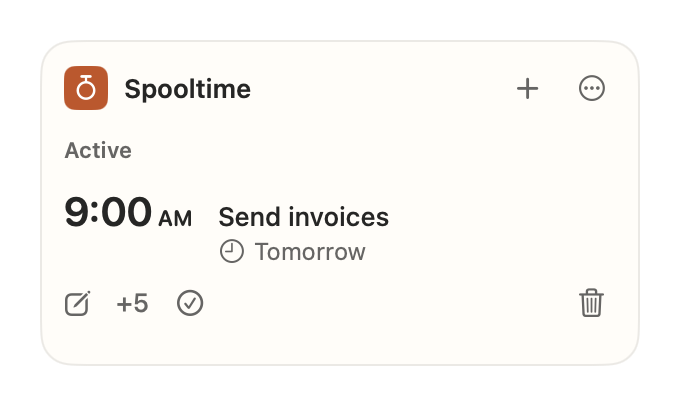
Type “tomorrow 9am Send invoices” and press Return. The list shows the reminder at 9:00 AM tomorrow.
Pull down from the menu bar for a duration. Hold Option to choose a clock time. You can also use the New Timer or Reminder shortcut and type “25m Weekly report” or “15:30 Call”, then press Return.
The item’s deadline continues to pass. Spooltime checks the time again after wake. Do not rely on the Mac to play an alert while it is asleep; for other devices, choose Reminders sync and check their own notification settings.
Review System Settings → Notifications → Spooltime, your selected sound, Time Sensitive Notifications, and Focus. The Notifications settings page includes an explicit test alert. Items synced to Apple Reminders use its notifications, so check Reminders settings as well.
Presenter Mode is designed for talks: at zero it changes to red and counts the overtime instead of interrupting with sound or a notification. You can pause, resume, finish, or open a full-screen view.
Sync is off until you turn it on. Grant Reminders access, choose one list, then select which Spooltime items to write to that list. Apple handles iCloud sync and alerts on your other devices; Focus and notification settings still apply.
No. The App Store trial gives you all features free for 7 days through a $0 in-app purchase. Continuing after the trial requires a separate $4.99 one-time Lifetime Unlock in the US store; other regions use their local App Store price. It includes future updates and supports Apple Family Sharing. There is no subscription.
Existing items can reach their time and be marked done. Starting new timers, adding time, and other paid actions require purchase. Trial expiry does not delete your items or history.
Use the App Store account you used to buy GestimerX. If Spooltime does not recognize your purchase, open About Spooltime and select Restore under Restore Purchases.
Turn it off in Settings → General → Reminders and follow the choices shown for what to keep in the Reminders list. Stopping Spooltime sync does not by itself delete all reminders or change iCloud settings.
Tell us the Spooltime or GestimerX version, macOS version, what you tried, and what happened. In 2.0, About → Export Diagnostics saves a local file for you to review and attach if useful. Nothing is sent automatically.
Spooltime
Compare menu bar workflows
Compare Gestimer, Spooltime and Horo by menu bar workflow: pull-down timers, keyboard input, visible countdowns and silent presentation overtime.
Work beneath a floating timer
Keep a Spooltime countdown above your Mac work, dim its background, enable click-through and hold Option to operate the floating controls.
Present with silent overtime
Use Spooltime Presenter Mode for talks and meetings: orange in the final minute, red silent count-up at zero, full screen and Escape to exit.
Start and manage timers from the keyboard
Type 25m Weekly report or 15:30 Call in Spooltime New, check the parsed time, press Return, then use list arrows, Space and +5.
Take an alert with you
Authorize Apple Reminders in Spooltime Settings → General, choose a list, enable sync per item and check iCloud, iPhone notifications and Focus.

Download Spooltime free from the Mac App Store and start a 7-day full-feature trial through a $0 in-app purchase. Lifetime Unlock is a $4.99 one-time purchase in the US store, includes future updates, and supports Apple Family Sharing; other regions use their local App Store price. No subscription and no automatic charge when the trial ends.