
Pull from the menu bar.
Drag down to choose a duration. Hold Option to switch to a clock time, or Shift to fine-tune.
 Spooltime for Mac
Drag from the menu bar to give yourself 25 minutes. You can see when they’ll end before you let go, then keep the countdown beside your work.
Drag down to choose a duration. Hold Option to switch to a clock time, or Shift to fine-tune.
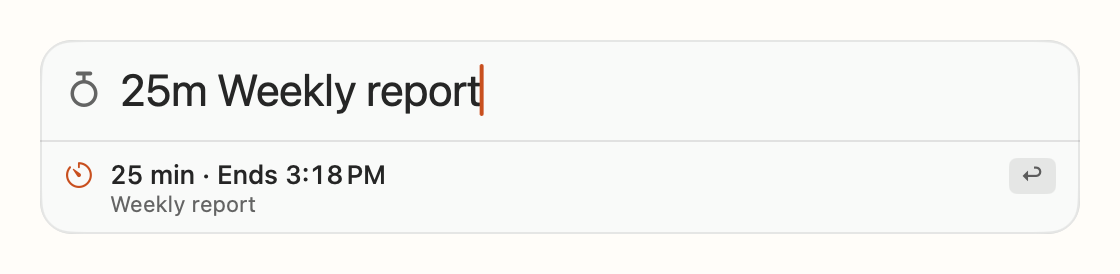
Release to start. Add a title from the list. Prefer the keyboard? Type something like “25m Weekly report” and press Return.
See what is next in the menu bar. Open the list when you want to pause, add time, or mark something done.
Floating Timer
Place the small floating timer beside what you’re working on. Dim its background or enable click-through to work underneath it. Hold Option when you want to use the timer controls.
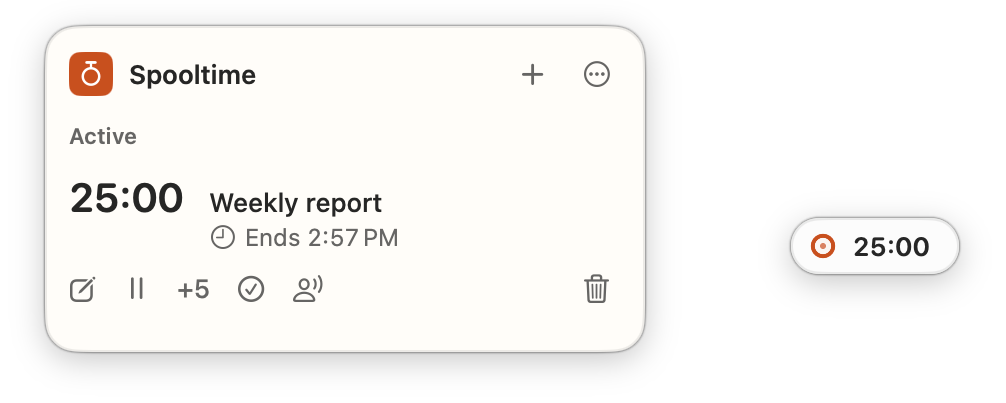
Presenter Mode
Switch an existing timer to Presenter Mode. The final minute turns orange. At zero the display turns red and starts counting up silently. Choose Enter Full Screen to see it from across the room.
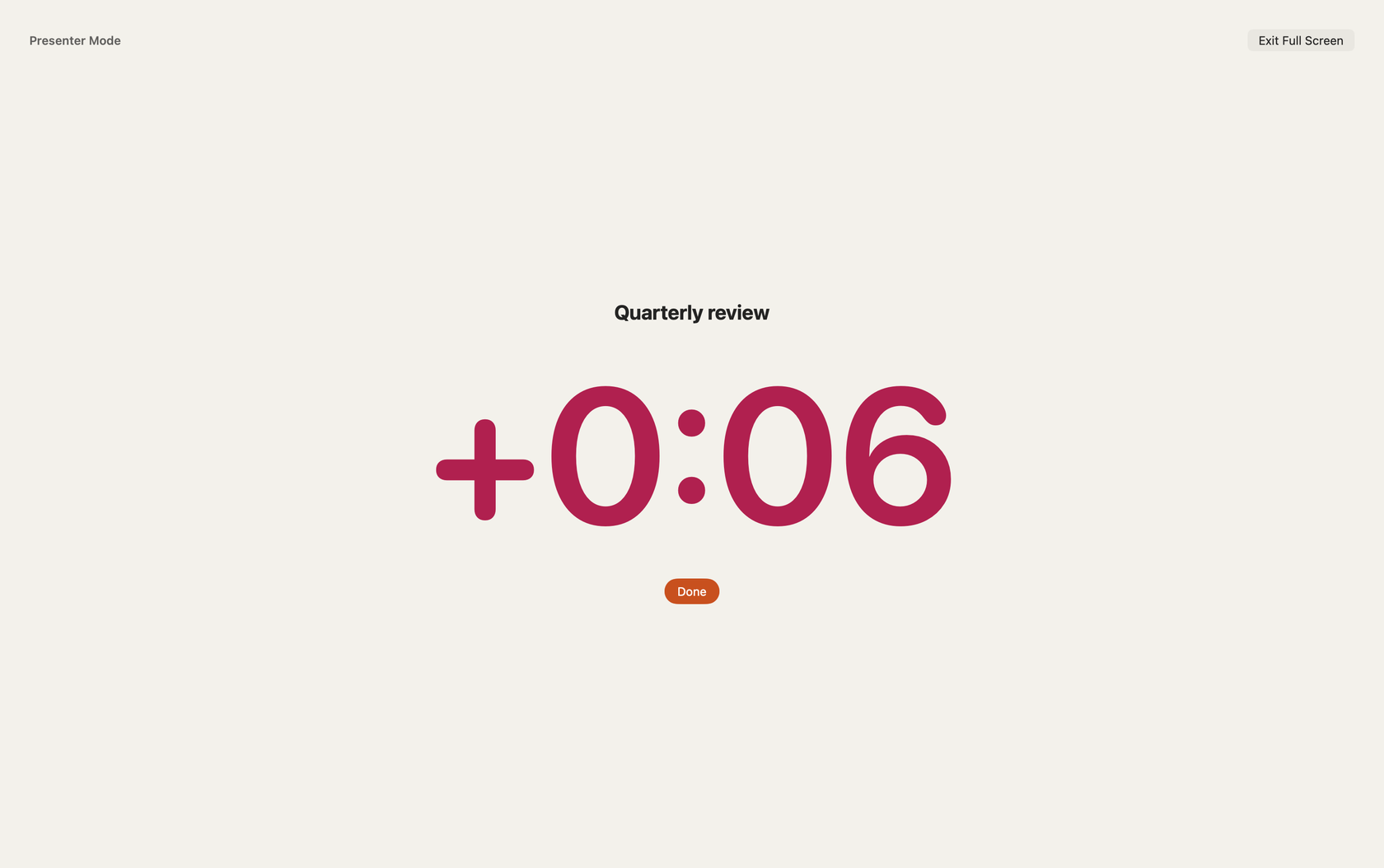
Timers and reminders
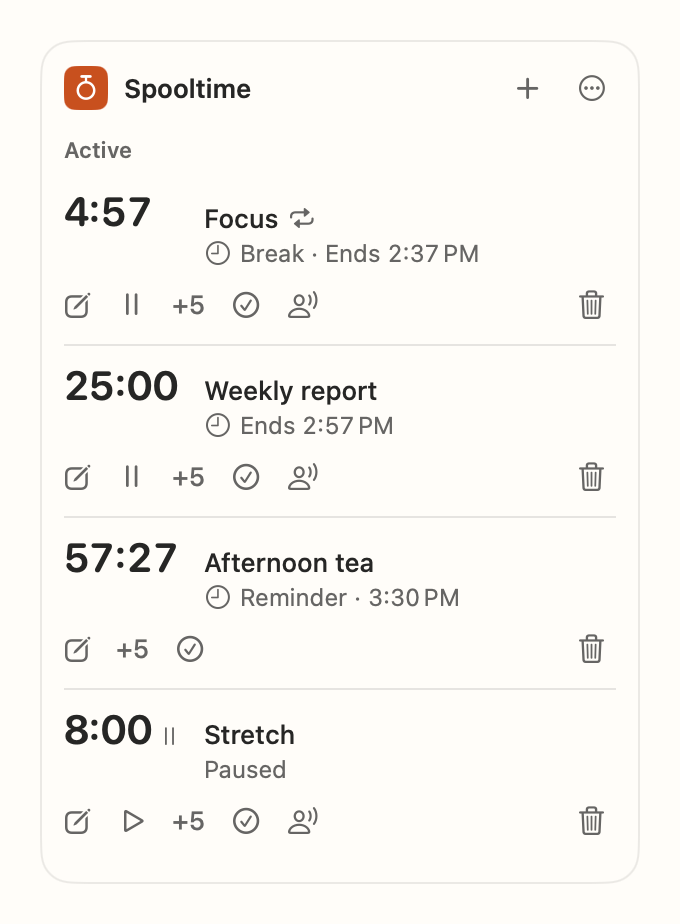
Open the menu bar list to see what’s running and what’s coming up. Select +5 when a timer needs another five minutes.
Quick input
In New, check the duration, finish time, and title before starting. Type “15:30 Call” to set a reminder for a clock time.
Keep durations and clock-time reminders together, with paused items and completion history in reach.
Repeat a timer automatically or use Pomodoro focus and break rounds.
Use a floating timer, adjust its opacity, or let clicks pass through it. Hold Option to interact when click-through is on.
Presenter Mode uses larger digits, turns orange in the last minute, and counts up in red after zero. A full-screen view is optional; it stays silent at the deadline.
Sync selected items with one Apple Reminders list. Apple delivers reminders on your other devices, subject to their notification and Focus settings.
Create with the app, global shortcuts, Shortcuts actions, or the spooltime:// launcher interface. The widget lets you view, pause, resume, or complete existing items.
Download Spooltime free from the Mac App Store and start a 7-day full-feature trial through a $0 in-app purchase. Lifetime Unlock is a $4.99 one-time purchase in the US store, includes future updates, and supports Apple Family Sharing; other regions use their local App Store price. No subscription and no automatic charge when the trial ends.
Spooltime is the new name of GestimerX. If you already bought GestimerX, use the same App Store account to keep access.

Timers and history are stored on your Mac. Reminders sync is your choice. Spooltime has no advertising or usage analytics, and diagnostics are shared only when you choose to send them.
Privacy informationSpooltime
Compare menu bar workflows
Compare Gestimer, Spooltime and Horo by menu bar workflow: pull-down timers, keyboard input, visible countdowns and silent presentation overtime.
Work beneath a floating timer
Keep a Spooltime countdown above your Mac work, dim its background, enable click-through and hold Option to operate the floating controls.
Present with silent overtime
Use Spooltime Presenter Mode for talks and meetings: orange in the final minute, red silent count-up at zero, full screen and Escape to exit.
Start and manage timers from the keyboard
Type 25m Weekly report or 15:30 Call in Spooltime New, check the parsed time, press Return, then use list arrows, Space and +5.
Take an alert with you
Authorize Apple Reminders in Spooltime Settings → General, choose a list, enable sync per item and check iCloud, iPhone notifications and Focus.